Twinkling Sparkles PS Brushes
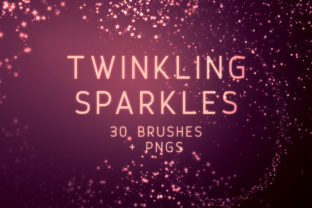
Whether you're designing graphics, creating social media content, or working on digital art projects, having the right tools can make all the difference. Twinkling Sparkles PS Brushes is a collection of 30 Photoshop brushes and PNGs designed to add that magical touch of sparkle and shine to your creative work. These brushes are perfect for anyone looking to elevate their designs with a touch of whimsy and elegance.
What Are Twinkling Sparkles PS Brushes?
Twinkling Sparkles PS Brushes is a digital download that includes both Photoshop brushes and PNG files. The set features 30 brushes in total, each offering unique patterns and densities of twinkling sparkles. Each brush can be used as a standalone element or layered to create more complex effects. The brushes are available in large sizes, up to 2500 pixels, making them ideal for high-resolution projects.
Why Choose Twinkling Sparkles PS Brushes?
The appeal of Twinkling Sparkles PS Brushes lies in its versatility and ease of use. Whether you're a beginner or a seasoned designer, these brushes can help you achieve professional-looking results without the need for advanced skills. The variety of sparkles allows for creative experimentation, enabling users to match the style and mood of their projects.
For those who prefer not to install brushes, the included PNGs offer a convenient alternative. Each PNG corresponds to one of the brushes, ensuring consistency and flexibility in your workflow. This dual format makes it easy to integrate the sparkles into any design project, regardless of the software you're using.
Practical Uses for Twinkling Sparkles PS Brushes
Twinkling Sparkles PS Brushes can be applied in numerous creative contexts. For example, they are excellent for adding a festive touch to holiday cards, enhancing product images for e-commerce, or creating eye-catching social media graphics. Designers can also use these brushes to highlight important elements in presentations or to add visual interest to website backgrounds.
In educational settings, these brushes can be used by teachers to create engaging visual aids for students. Freelancers and small business owners can incorporate the sparkles into marketing materials, logos, and promotional content to stand out in a competitive market. Bloggers and content creators may find these brushes useful for designing thumbnails, banners, and other visual assets that attract attention.
Beginner-Friendly Examples
If you're new to Photoshop or digital design, Twinkling Sparkles PS Brushes can be a great starting point. Imagine you're creating a birthday invitation. By applying one of the sparkles brushes to the text or background, you can instantly add a sense of celebration and joy. Similarly, when designing a product image for an online store, adding a subtle sparkle can draw the viewer's eye to the main feature of the product.
Another simple use case is in crafting digital scrapbook pages. Using the PNGs, you can easily place sparkles in corners or along edges to frame your photos and text. This adds a decorative element without overwhelming the design. These examples show how even basic users can benefit from the flexibility and creativity offered by Twinkling Sparkles PS Brushes.
Important Considerations Before Using Twinkling Sparkles PS Brushes
Before incorporating Twinkling Sparkles PS Brushes into your workflow, there are a few things to keep in mind. First, ensure that you have the appropriate software to use the brushes. While the PNGs are compatible with most image editors, the brushes require Photoshop or a similar program. If you're not familiar with Photoshop, consider exploring tutorials or guides to get started.
Additionally, it's important to understand the size and resolution of the brushes. Since some brushes are up to 2500 pixels, they may not be suitable for smaller projects. Always check the dimensions before using them to avoid scaling issues. Also, be mindful of layer management in Photoshop to maintain the clarity and quality of your designs.
Lastly, consider the licensing terms associated with the brushes. Make sure you are using them in accordance with the provided guidelines to avoid any potential issues. By being aware of these considerations, you can maximize the value and effectiveness of Twinkling Sparkles PS Brushes in your creative endeavors.